PawDF: An Offline, Local-First Way to Chat With Your PDFs
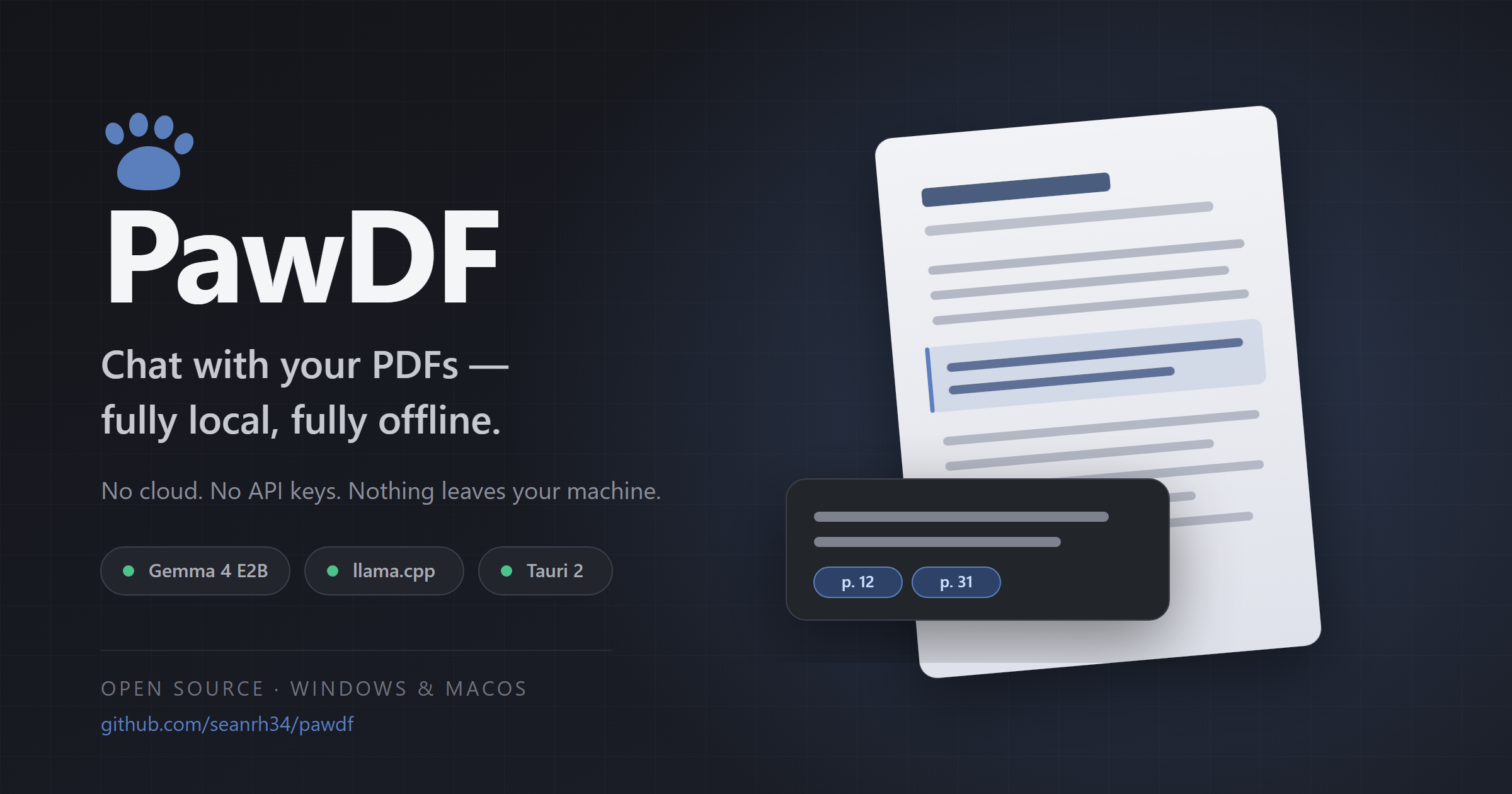
Short version: PawDF is a free, open-source desktop app for Windows and macOS that lets you upload a PDF and ask questions about it. The AI runs entirely on your own machine: no cloud, no API keys, no account. After a one-time model download on first launch, it works with Wi-Fi switched off.
I built it because I realise that many love NotebookLM's or ChatPDF's workflow but handing their documents to external servers is not so desirable. This post covers what PawDF does, and more importantly why it's built the way it is.
What PawDF Actually Does
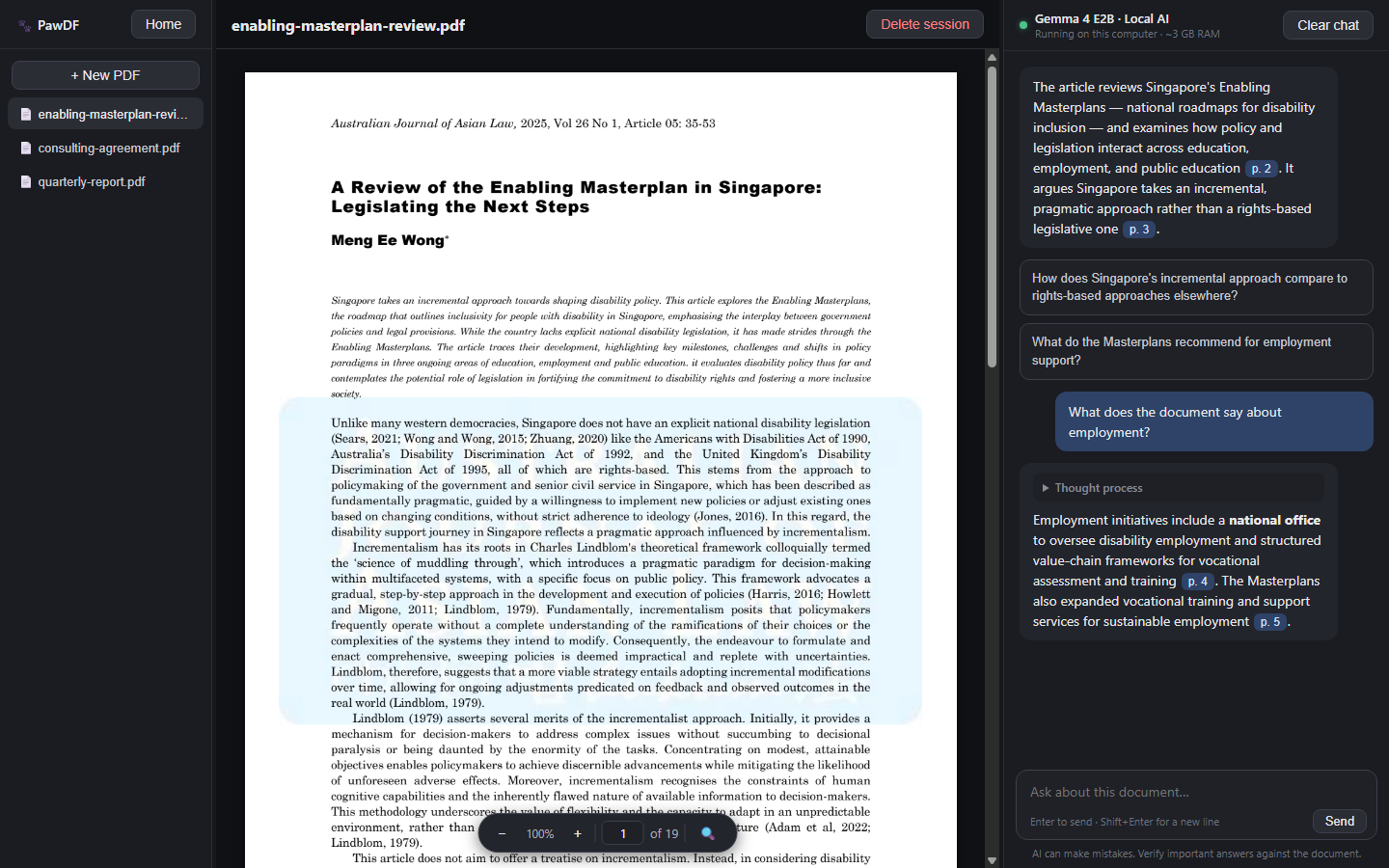 You drag in a PDF. PawDF copies it into its own storage, extracts the text, and opens a session with an auto-generated summary and two starter questions you can click.
From there it's a three-panel workspace:
- Library sidebar: every session you've created, auto-saved after each exchange.
- PDF preview: zoom, page navigation, and find-with-highlights.
- Chat: ask anything about the document.
The model streams its answer, shows its reasoning live before folding it away, and cites pages as clickable chips that jump the preview straight to the source page. This way, you can see that every claim the model makes is one click away from being verified.
Sessions persist between launches. "Clear chat" wipes the conversation but keeps the parsed document. "Delete session" removes everything, including the stored PDF copy.
Design Choice #1: Why Fully Local?
The obvious path would have been a thin wrapper around a cloud API. It would have been faster to build, cheaper to run, and the answers would be better.
But for three reasons, I didn't:
Documents are the worst thing to leak. The PDFs people may want to chat with could be sensitive like contracts, medical records, tax filings, unpublished research, legal discovery. "We don't train on your data" is a promise, not an architecture. PawDF has nothing to send your documents to. The privacy guarantee is structural, not contractual.
No accounts, no keys, no bill. Cloud AI apps come with a signup flow, a token you have to generate, and a meter running in the background. PawDF has none of it. You install it and it works, forever, for free. All locally on your computer.
Offline is a real constraint for real people. Flights, secure facilities, rural internet, air-gapped workplaces. An app that only works when the network does isn't a tool, it's a subscription. Turn off your WiFi and PawDF will still work.
PawDF is also locked down beyond just "not calling an API": the AI engine has no browsing or search capability, and the app window enforces a content security policy with sanitised output. With this, nothing hidden inside a malicious PDF can trigger an outbound request.
Design Choice #2: Why Gemma 4 E2B?
The model is the whole product, so this was quite an important decision. PawDF ships Gemma 4 E2B-it at Q4_K_M quantization, roughly 3 GB on disk.
It has to run on a laptop with no GPU. That's the actual constraint. Not "runs great on a 4090" but runs acceptably on whatever a normal person already owns. E2B is an efficiency-tier model with roughly 2B effective parameters, which is the sweet spot where CPU-only inference stays responsive.
Document Q&A is an easier job than open-ended chat. PawDF isn't asking the model to know things. The answer is already in the context window; the model's job is to find it, summarise it, and cite it. This model may not tell you what the mass of the sun is, (unless that's what your document is about) but that's part of the design. The model's responses focus on your existing PDF.
It reasons before it answers. Gemma 4 E2B is a reasoning model, and llama.cpp separates the reasoning trace from the final answer. PawDF shows that trace live in a collapsible "Thinking" block, then folds it away. It's display-only — never persisted, never fed back into the next turn. You get to watch the model work through the document without paying context for it later.
Q4_K_M is the honest quantization. Smaller quants save disk but visibly degrade instruction-following, which is exactly what breaks the "only answer from this document" behavior PawDF depends on.
Design Choice #3: Why Bundle Everything in One Installer?
If you're technical, running a local LLM is a weekend project: install Ollama or LM Studio, pull a model, wire up a frontend, tune the context window. To us it sounds simple, but even with the help of AI, this may not be as simple for those not used to all these tech.
That's the bar I wanted to delete entirely.
PawDF ships the llama.cpp runtime inside the installer. You download an .msi/.exe or .dmg, run it, and on first launch it fetches the model once (~3 GB, the only time it needs internet). After that, it's a normal desktop app. No terminal. No Python. No "make sure your CUDA version matches."
The deliberate trade-off: PawDF uses its own copy of llama.cpp and its own copy of the model, even if you already have both. If you run Ollama, PawDF ignores it. That costs you 3–4 GB of disk you technically didn't need.
For now, I think that's the right call. Sharing a runtime means inheriting someone else's version drift: a llama.cpp update that changes tokenizer behavior, a model file swapped out from under you, a background service that isn't running. PawDF pins its exact llama.cpp release and its exact model file, so the app I tested is the app you get. Uninstalling PawDF leaves your other AI tools completely untouched.
Under the Hood
- Tauri 2: native window, Rust backend, ~10 MB app shell instead of a bundled Chromium.
- Rust backend spawns
llama-serveron a random localhost port at startup and kills it on exit. A loading screen blocks the UI until the model reports healthy. - pdf.js renders the document and extracts its text once per file.
- System prompt instructs the model to answer only from the document, cite pages, and explicitly say when the answer isn't there.
Everything lives in the app data directory: sessions/<id>/ holding doc.pdf, doc.txt, chat.json, and meta.json.
FAQ
Is PawDF free? Yes, free and open source on GitHub.
Does PawDF send my documents anywhere? No. The model runs on your machine. After the one-time model download, the app works with the network disabled.
What are the system requirements? Windows or macOS, roughly 4 GB of free disk, and enough RAM for a 3 GB model and most modern laptops contain at least 8GB which should be enough. No GPU required.
Do I need an API key or account? No.
Can it be wrong? Yes, it's a small model and it can make mistakes but it will cite pages used as its source. Verify anything that matters.
What's Next
Multiple model choices and bring-your-own-GGUF, optional BYOK cloud APIs for people who want them (off by default, always), and embedding-based retrieval for very large documents.
The repo is here: github.com/seanrh34/pawdf. Feedback via Issues and Stars would be much appreciated!